
Skip to content
View in the app

A better way to browse. Learn more.

Sol-diers

A full-screen app on your home screen with push notifications, badges and more.

To install this app on iOS and iPadOS
  1. Tap the Share icon in Safari
  2. Scroll the menu and tap Add to Home Screen.
  3. Tap Add in the top-right corner.
To install this app on Android
  1. Tap the 3-dot menu (⋮) in the top-right corner of the browser.
  2. Tap Add to Home screen or Install app.
  3. Confirm by tapping Install.

Loadouts in das Ace-Arsenal Impotieren

Hallo Leute,
hier eine kleine Anleitung wie ihr eure Loadouts aus dem BI-Arsnela in das Ace-Arsenal, welches wir in Zukunft ausschließlich benutzen werden, Impotieren könnt.

Wichtig
Es müssen alle Mods zum fehlerfreien Importieren gestartet sein (außer Optional).

Schritt 1:
Arma 3 mit all unseren Mods starten

Schritt 2:
Ihr Öffnet den Editor

Tutoial1.thumb.JPG.c6161c9ffead08bd599f039ba30a05f2.JPG

Schritt 3:
Ihr wählt eine beliebige Karte aus
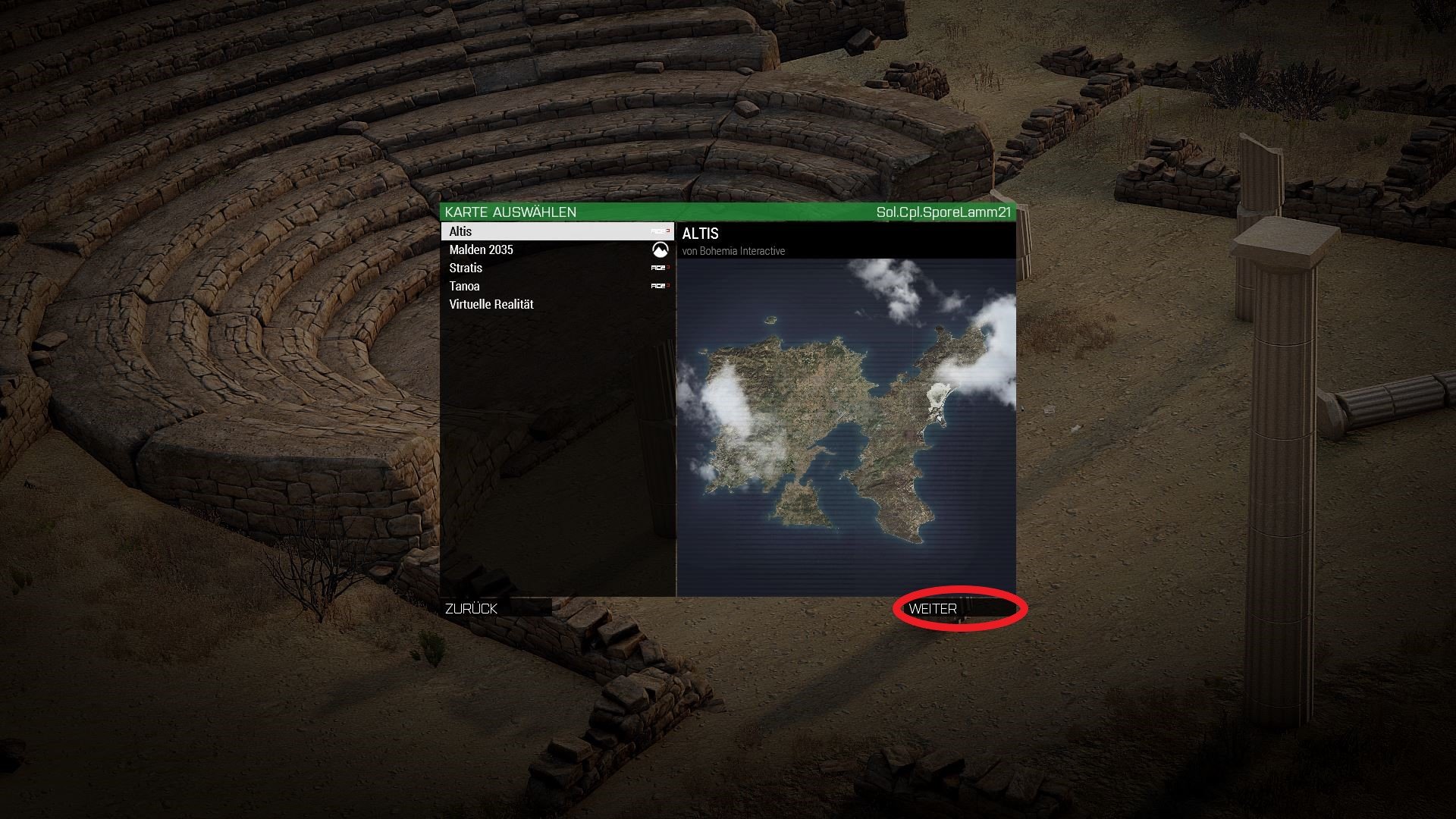
Tutorial2.thumb.JPG.8d538a6d3ed36fb42c2a105e39f399c6.JPG

Schritt 4:
Nachdem ihr im Editor seit wählt ihr eine beliebige Einheit aus und Platziert diese.
(Sollte sie nicht automatisch einen roten Kreis um sich haben müsst ihr auf dies doppelklicken und sie als Spieler markieren)
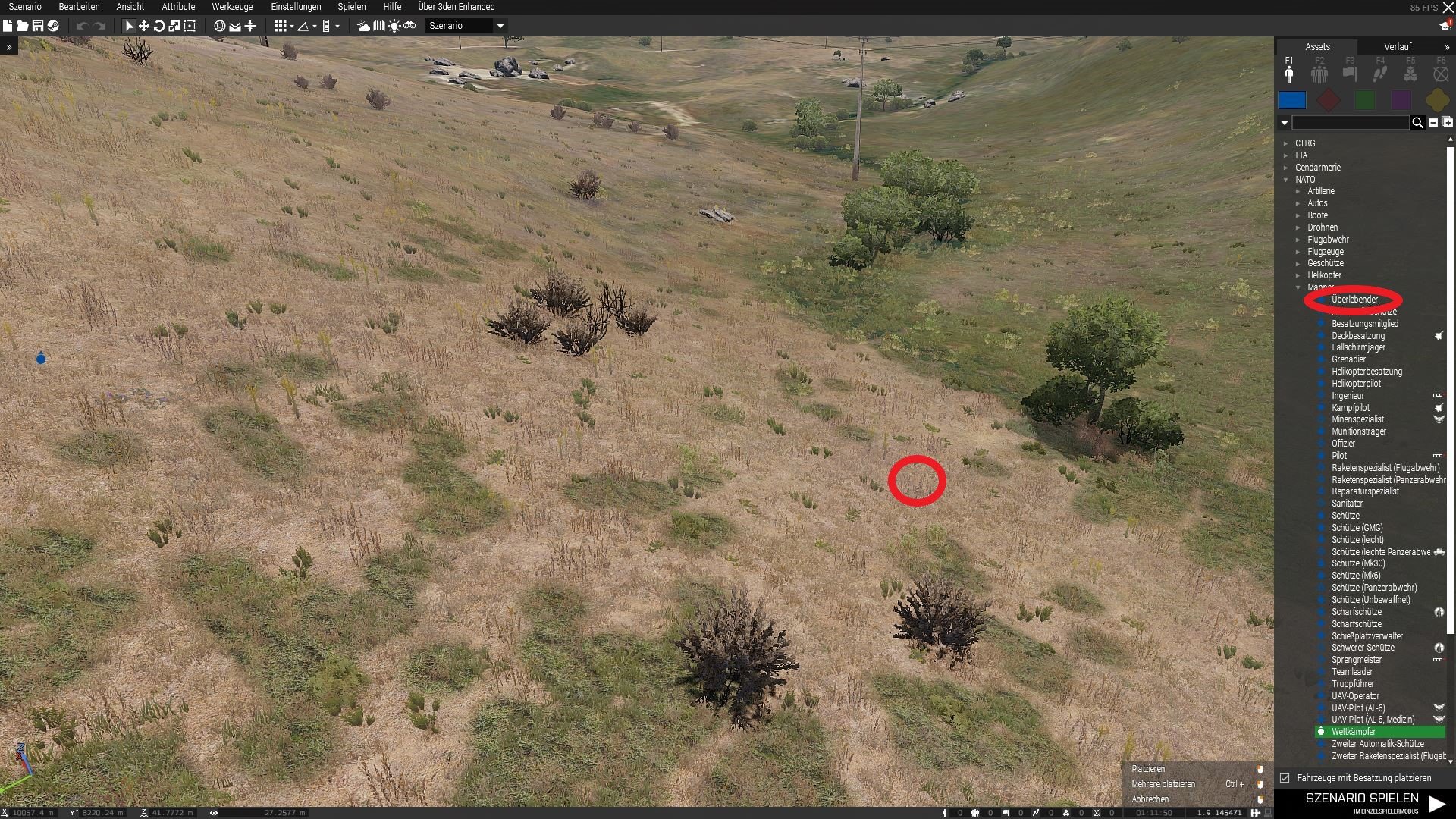
Tutorial4.thumb.JPG.32d4f5f1f20d3d088ea254e2ef992c55.JPG

Schritt 5:
Ihr wählt den Reiter "Werkzeuge" aus und klickt einmal auf "Importiert die BO-VA-Ausrüstung in das ACE-Arsenal"
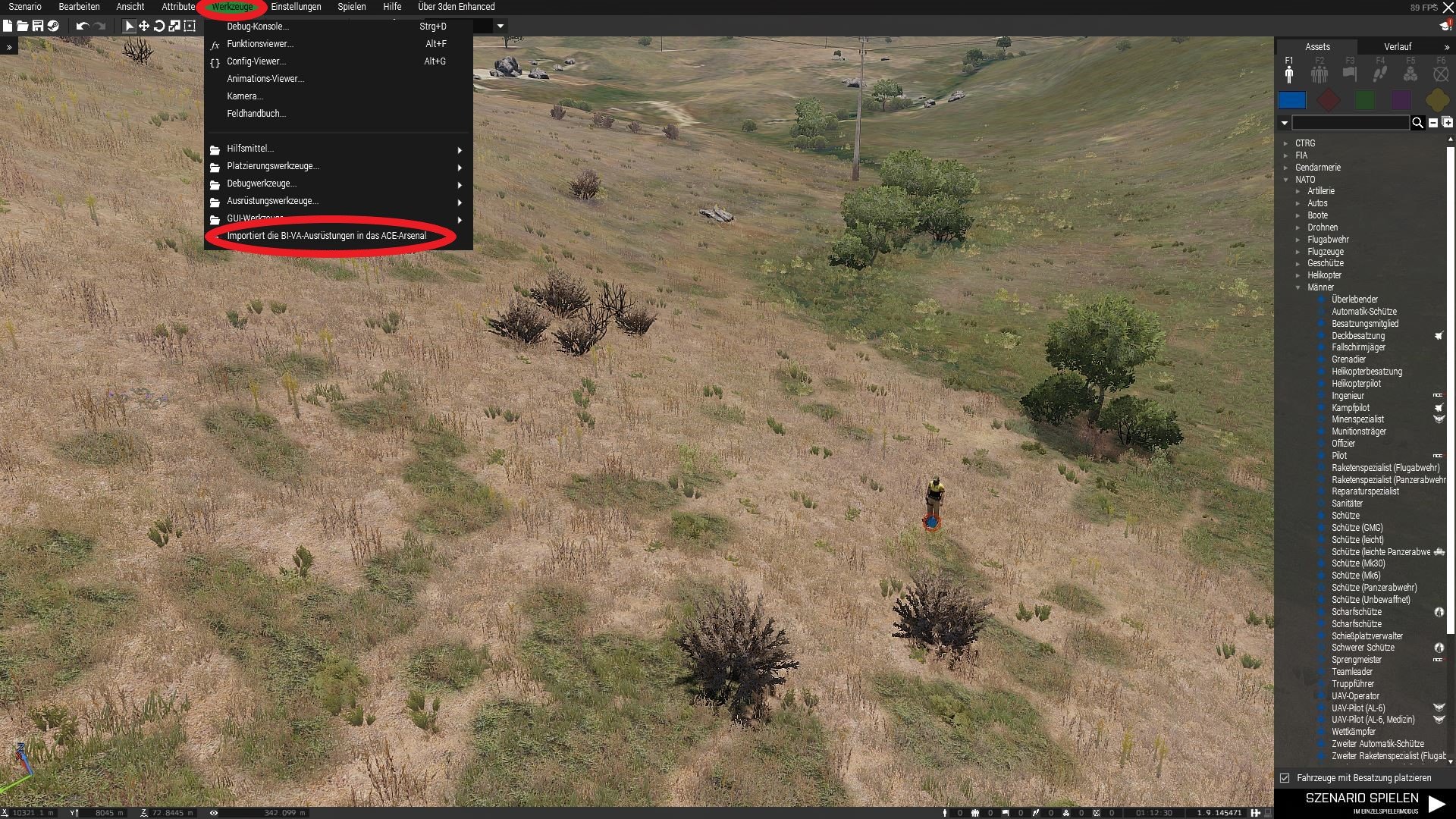
Tutorial5.thumb.JPG.b3b80cefb759fbfd5de743d55f275f48.JPG

Schritt 6:
Ausrüstung im Arsenal überprüfen und ggf. Überarbeiten.

Account

Navigation

Suche

Suche

Configure browser push notifications

Chrome (Android)
  1. Tap the lock icon next to the address bar.
  2. Tap Permissions → Notifications.
  3. Adjust your preference.
Chrome (Desktop)
  1. Click the padlock icon in the address bar.
  2. Select Site settings.
  3. Find Notifications and adjust your preference.